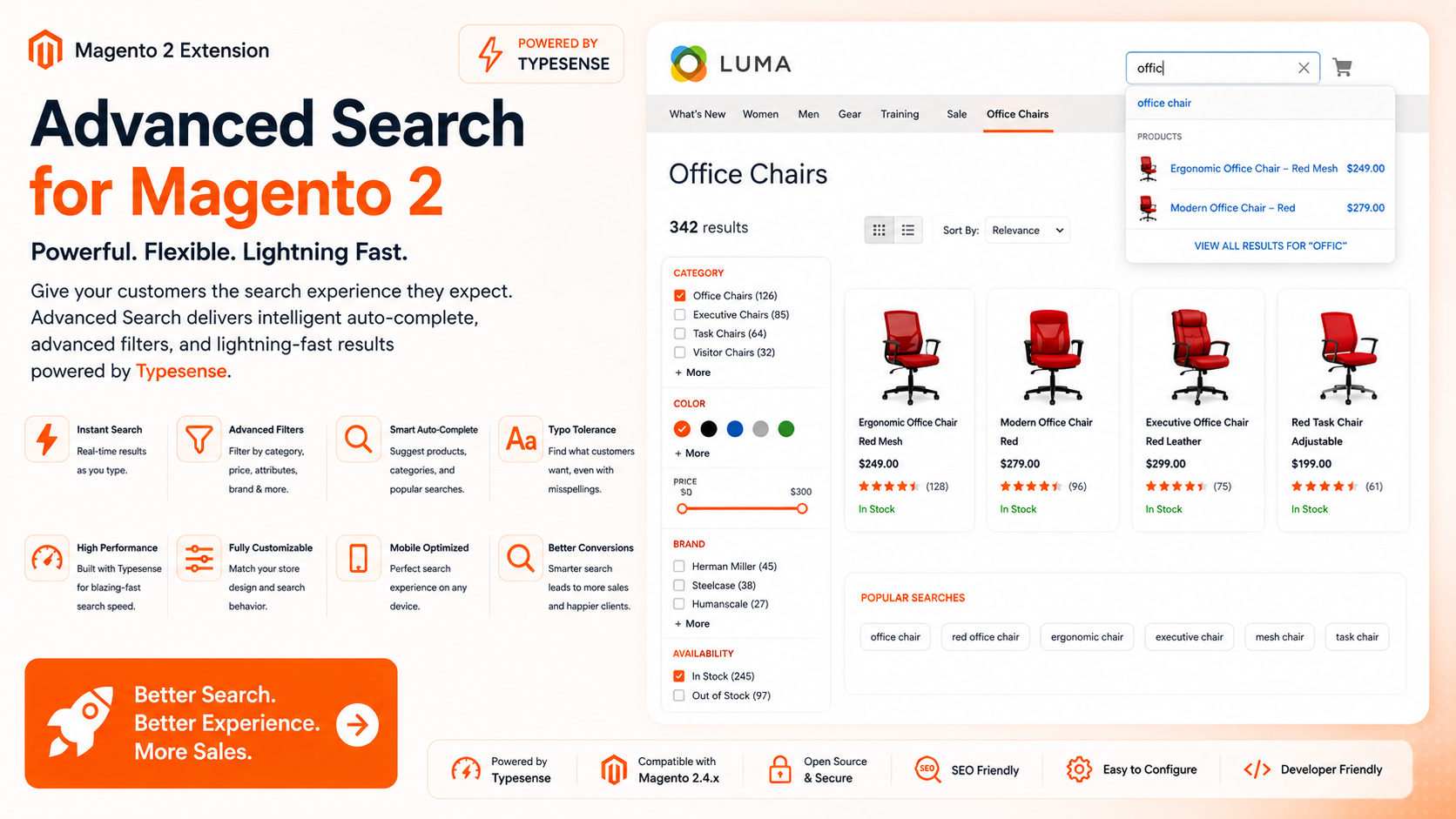
Ayasoftware Advanced Search replaces Magento's default autocomplete with a fast, mixed-result dropdown that queries your existing OpenSearch or Elasticsearch catalog index directly — no extra infrastructure to run.
Key Features
- Mixed Autocomplete — Products, categories, CMS pages, and popular searches all appear in one dropdown, each in its own responsive section.
- Bootstrap-Free Fast Mode — An optional PHP endpoint answers requests without loading Magento's framework, saving roughly 300–900 ms per request. Falls back automatically to a standard Magento controller.
- Zero-Database Suggestions — Product name, image, price, and URL are indexed at index time, so autocomplete responses are built entirely from the search engine with no database lookups.
- Category & CMS Suggestions — Category suggestions include store-aware URLs and breadcrumb paths; CMS suggestions search titles, headings, URL keys, and page body content.
- Popular Searches — Suggests related queries sourced from Magento search history and successful autocomplete usage, with optional recency weighting.
- Smarter Relevance — Product names get a minimum relevance boost so name matches outrank weak description or URL matches, and configurable stop terms filter out noisy tokens (e.g. the letter
xin dimension searches like 30" x 72"). - Synonyms & Redirects — Configure synonym groups and exact-query redirects from the Magento admin.
- Search Analytics — Tracks submitted searches, autocomplete clicks, redirects, result positions, and add-to-cart conversions attributed to a prior search, with a configurable attribution window.
Admin Configuration
Everything is configurable from Stores → Configuration → Ayasoftware → Advanced Search: fast mode, minimum characters, suggestion limits per section, stop terms, synonyms, redirects, popular-query weighting and half-life, and analytics/conversion tracking.
Stack Requirements
Stack Requirements — ayasoftware/advancedsearch v1.0.0
Core Platform
| Dependency | Version | Notes |
|---|---|---|
| Magento Open Source / Adobe Commerce | 2.4.x | Standard catalog-search index layout required |
| PHP | 8.1+ | Required by Magento framework |
| OpenSearch / Elasticsearch | 7+ | Must be Magento's configured catalog search engine, reachable from PHP |
PHP Composer Dependencies
| Package | Version | Purpose |
|---|---|---|
magento/framework | >=103.0 | Magento 2.4.x framework |
magento/module-catalog | * | Catalog data |
magento/module-catalog-search | * | Standard catalog search index |
magento/module-elasticsearch | * | OpenSearch/Elasticsearch engine integration |
Installation Checklist
Magento Open Source / Adobe Commerce 2.4.x
PHP 8.1+
OpenSearch or Elasticsearch 7+ configured as the catalog search engine
Composer dependencies installed:
- magento/framework
- magento/module-catalog
- magento/module-catalog-search
- magento/module-elasticsearch
Note: Uses entityid for product indexing. Adobe Commerce staging tables that use rowid are not currently supported. The included frontend widget targets Magento-rendered themes (e.g. Luma); headless storefronts must implement their own UI against the JSON endpoints.
Changelog
1.0.0 August 10, 2026
New Features
- Added mixed autocomplete sections for products, categories, CMS pages, and popular searches.
- Added category suggestions with store-aware URLs and breadcrumb paths.
- Added CMS page suggestions that search titles, headings, URL keys, and visible Page Builder or HTML body content.
- Added popular-query suggestions sourced from Magento search history and successful autocomplete queries.
- Added optional recent-usage weighting with a configurable half-life and hourly config refresh.
- Added search analytics events for submitted searches, autocomplete product clicks, redirects, result clicks and positions, and add-to-cart conversions attributed to a prior search.
- Added per-tab search attribution with a configurable conversion window.
Search Relevance
- Product names now have a minimum relevance boost so name matches rank above weak description or URL matches.
- Weak searchable-attribute matches are suppressed in autocomplete when strong product name or SKU matches exist.
- Broad description and attribute matches remain available when no stronger product match exists.
- Added configurable stop terms for noisy tokens such as
xin dimension searches. - Added configurable synonym groups and exact-query redirects.
Improvements
- Product display names are stored separately at index time and HTML entities are decoded in autocomplete, so names such as
Mars HeatTech™ Pulloverdisplay asMars HeatTech™ Pullover. - Configurable-product index values are reduced to the parent display value in autocomplete.
- The dropdown now renders distinct, responsive sections for each suggestion type.
- Fast-mode configuration now includes content suggestions, popular queries, tracking secrets, and suggestion limits.
Configuration
New and expanded settings under Stores -> Configuration -> Ayasoftware -> Advanced Search:
- Popular query suggestions and maximum suggestion count
- Successful autocomplete query tracking
- Recent-usage weighting and half-life
- Category and CMS page suggestions with per-section limits
- Search analytics event tracking
- Add-to-cart conversion attribution window
- Stop terms, synonyms, and redirects
Re-run bin/magento advancedsearch:config:generate after changing search rules, suggestion settings, searchable attributes, or store content.
Database
- Added aggregate storage for successful autocomplete queries.
- Added append-only search analytics event storage, including query, result count, click position, product, quantity, source, session hash, and timestamp.
- Existing zero-result query reporting remains available under
Marketing -> Advanced Search -> Zero Results. - Run
bin/magento setup:upgradeafter installing or updating the extension.
Installation
Install via Composer after configuring your credentials. See your dashboard for your license key.
# 1. Add the repository to your project (one-time)
composer config repositories.ayasoftware composer https://www.ayasoftware.com/repo

# 2. Add your credentials to auth.json (one-time)
composer config --global http-basic.www.ayasoftware.com your@email.com YOUR_LICENSE_KEY

# 3. Require the extension
composer require ayasoftware/advancedsearch

# 4. Enable and upgrade
bin/magento module:enable $(bin/magento module:status --enabled | tail -n +3)
bin/magento setup:upgrade
bin/magento cache:clean